How to Make a Reservation
Complete your car rental booking online in under 5 minutes. Simple, transparent, no surprises.
7 simple steps
Standard online booking
No hidden fees
Full price shown upfront
Instant confirmation
Voucher sent by email
Standard Booking (with Credit or Debit Card)
Complete your booking online in under 5 minutes
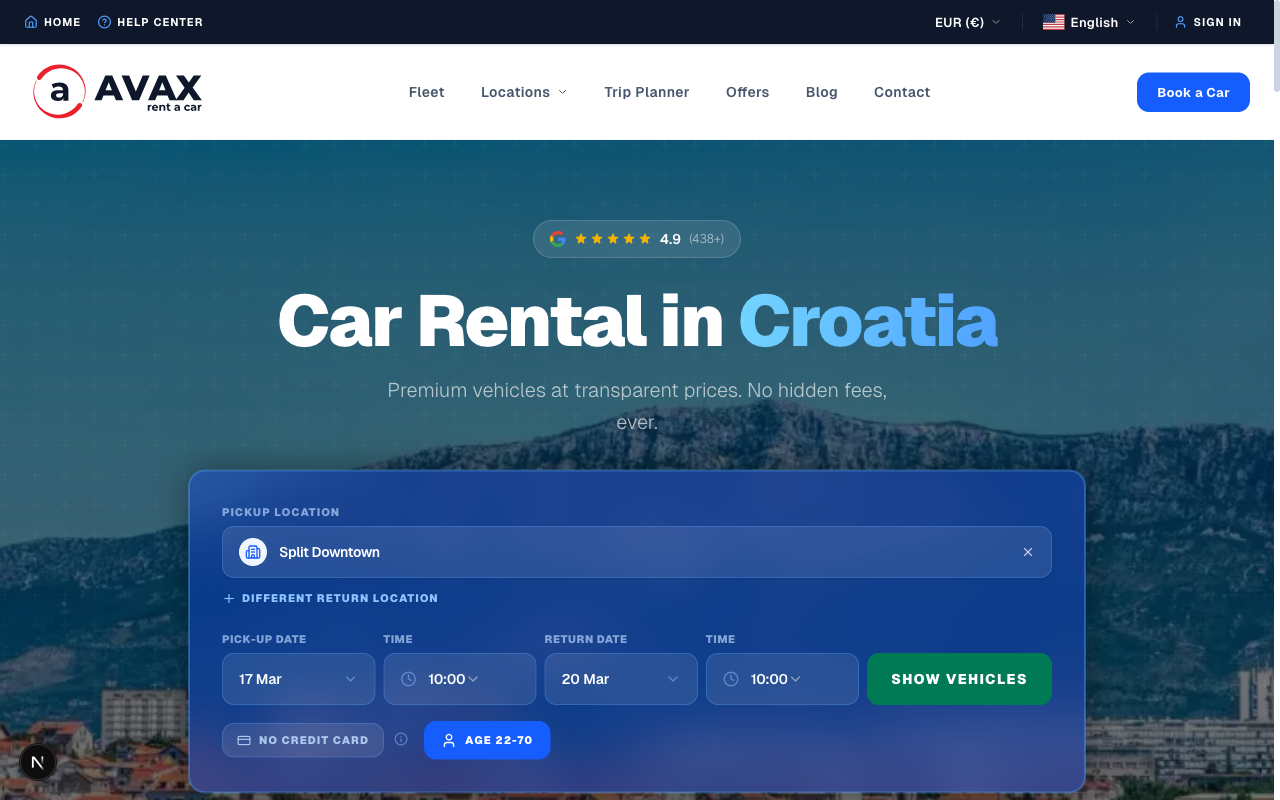
Choose your pickup location & dates
Select from our locations across Croatia — airports in Split, Dubrovnik, Zagreb, and Zadar, plus city centres. Pick your pickup and return date and time.
/public/images/how-to-book/step-1.png
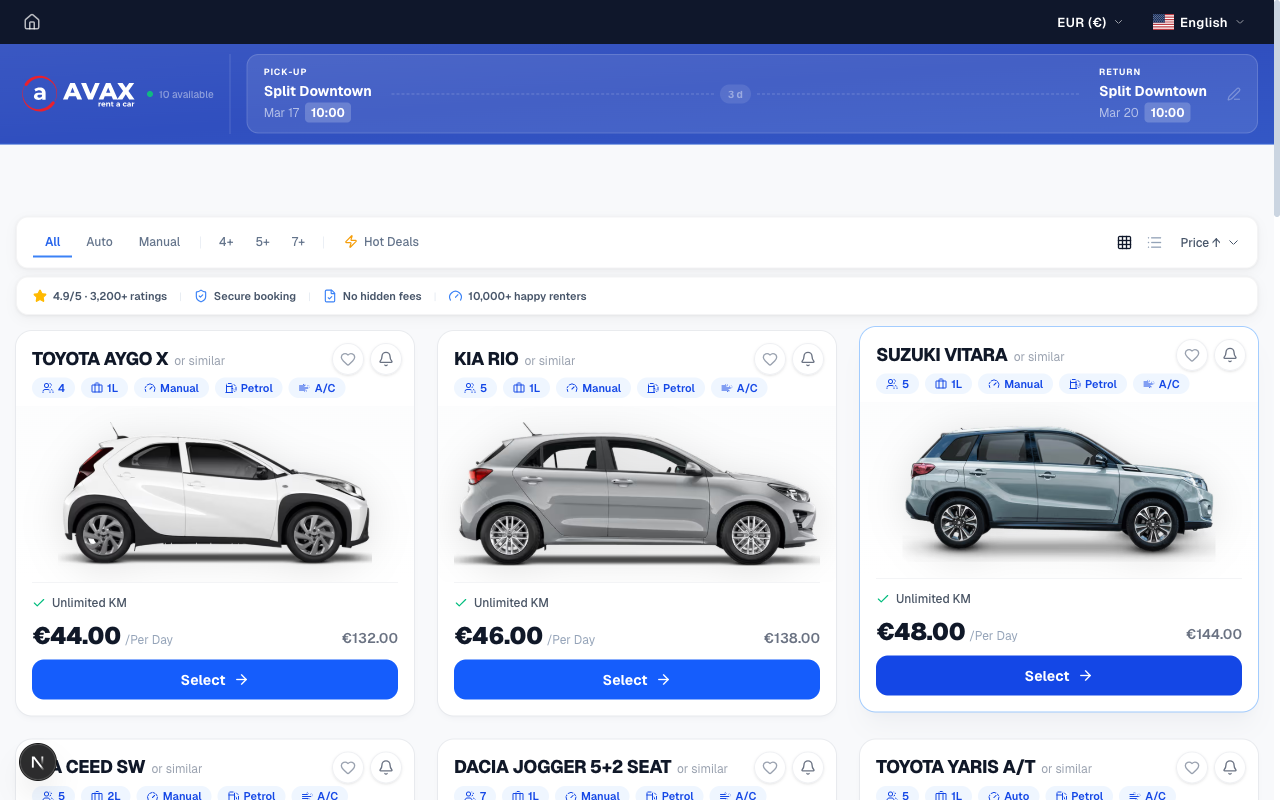
Browse available vehicles
All vehicles available for your selected dates and location are displayed. Filter by transmission, category, or number of seats to narrow down your choice.
/public/images/how-to-book/step-2.png
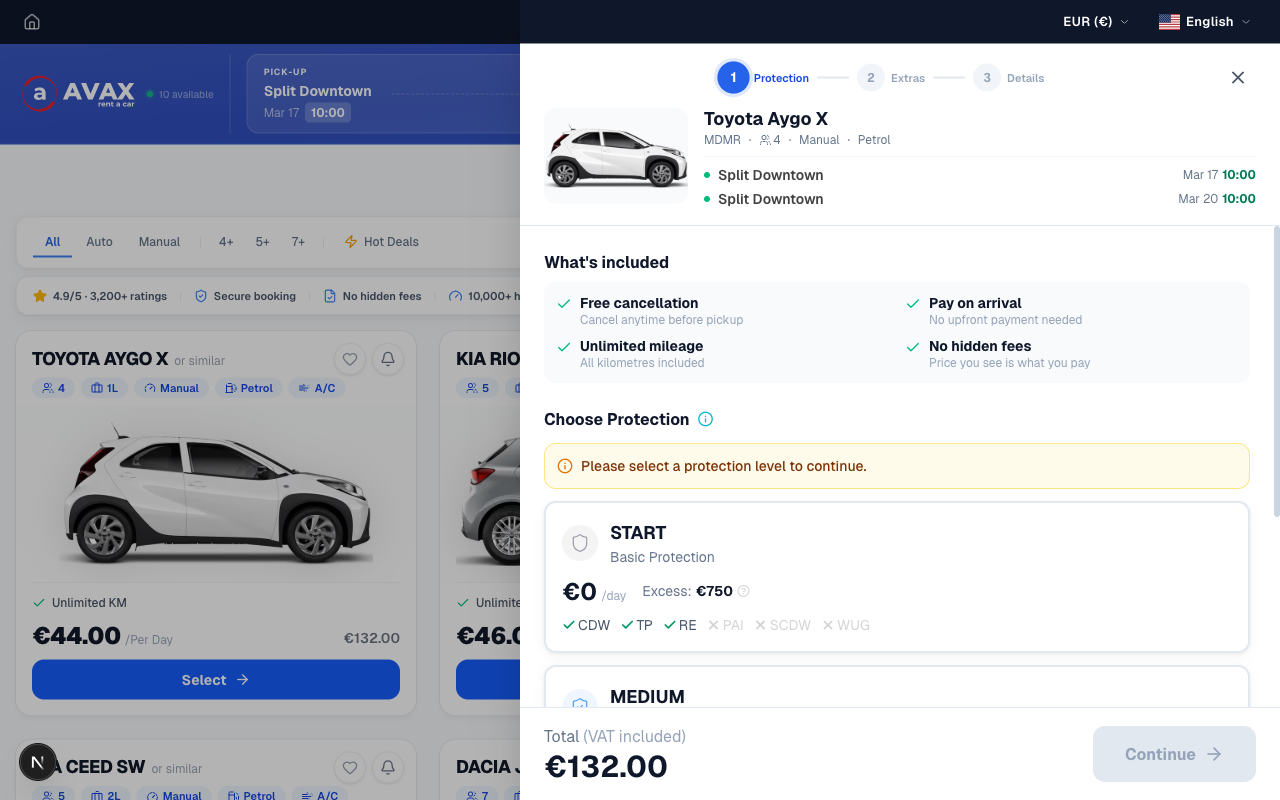
Select your car
Click on a vehicle to see full specifications, photos, and a complete price breakdown. Review what is included before you proceed.
/public/images/how-to-book/step-3.png
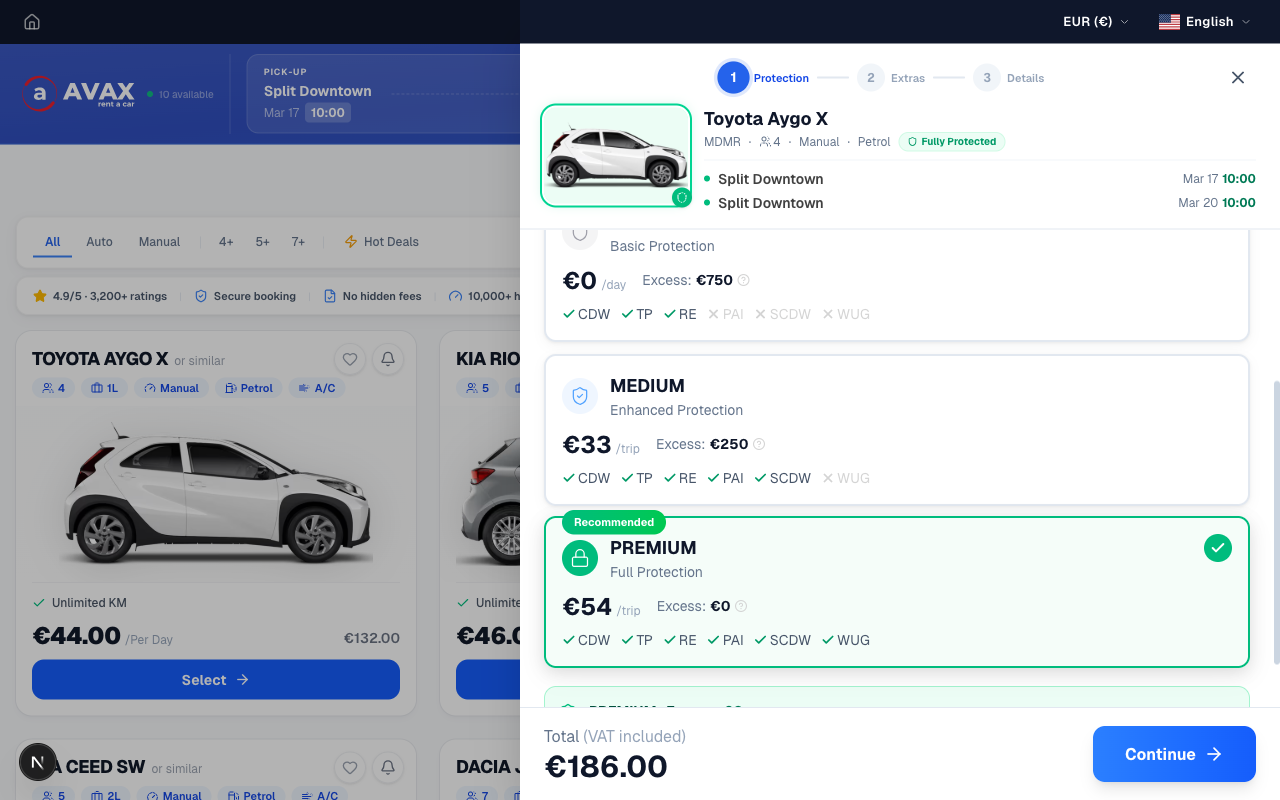
Choose your insurance protection
Pick from Start (basic), Medium, or Premium (zero excess) coverage. Premium protection also removes the need for a credit card at pickup entirely.
/public/images/how-to-book/step-4.png
Add optional extras
Add a child seat, GPS, additional driver, or cross-border permit. All priced transparently — no surprise charges at the rental desk.
/public/images/how-to-book/step-5.png
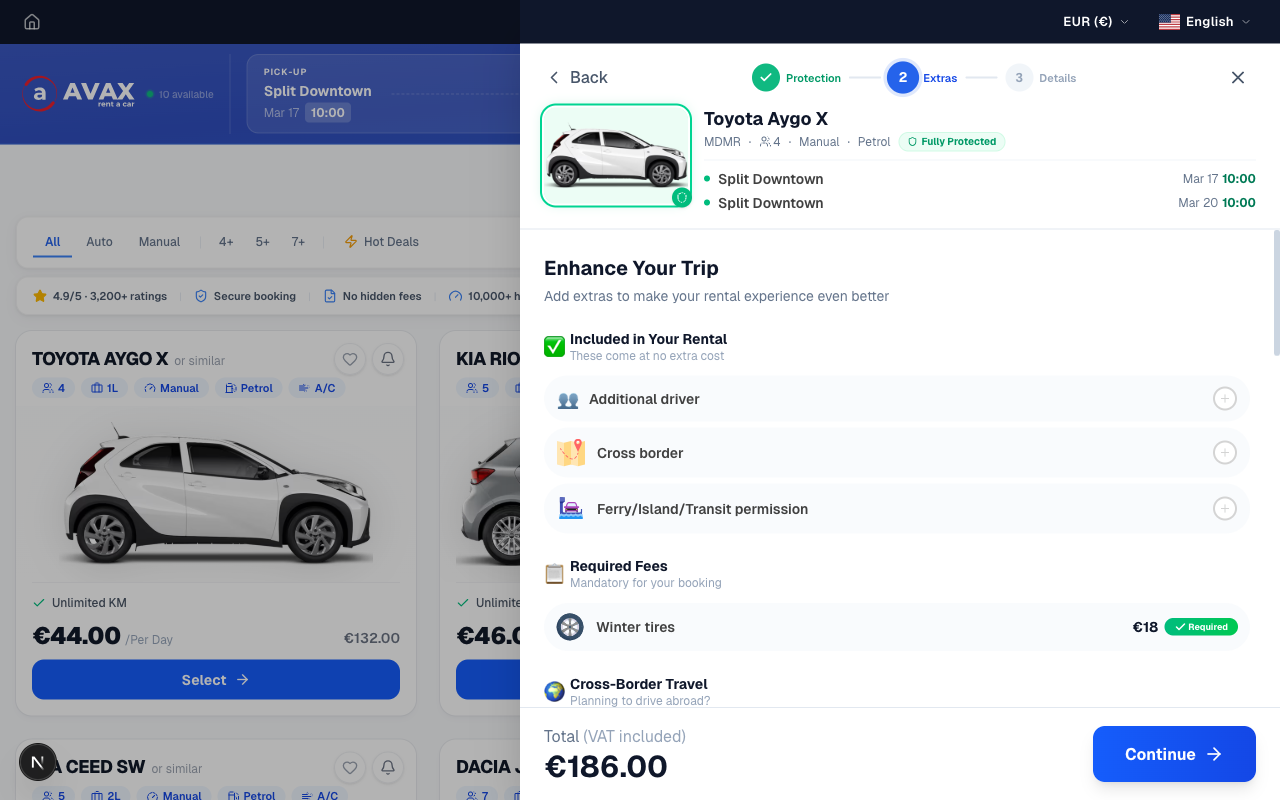
Enter your personal details
Fill in the booking form with your driver details — name, email address, driving licence information, and any special requests.
/public/images/how-to-book/step-6.png
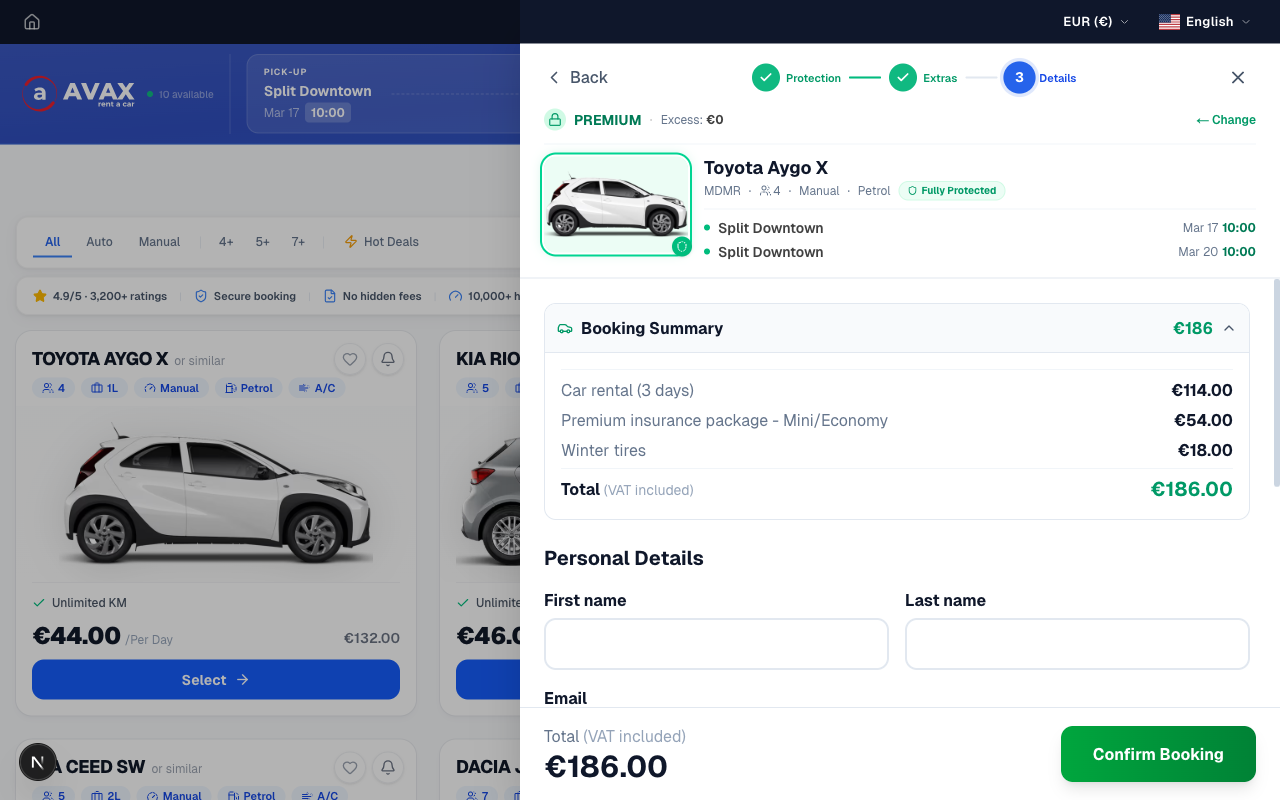
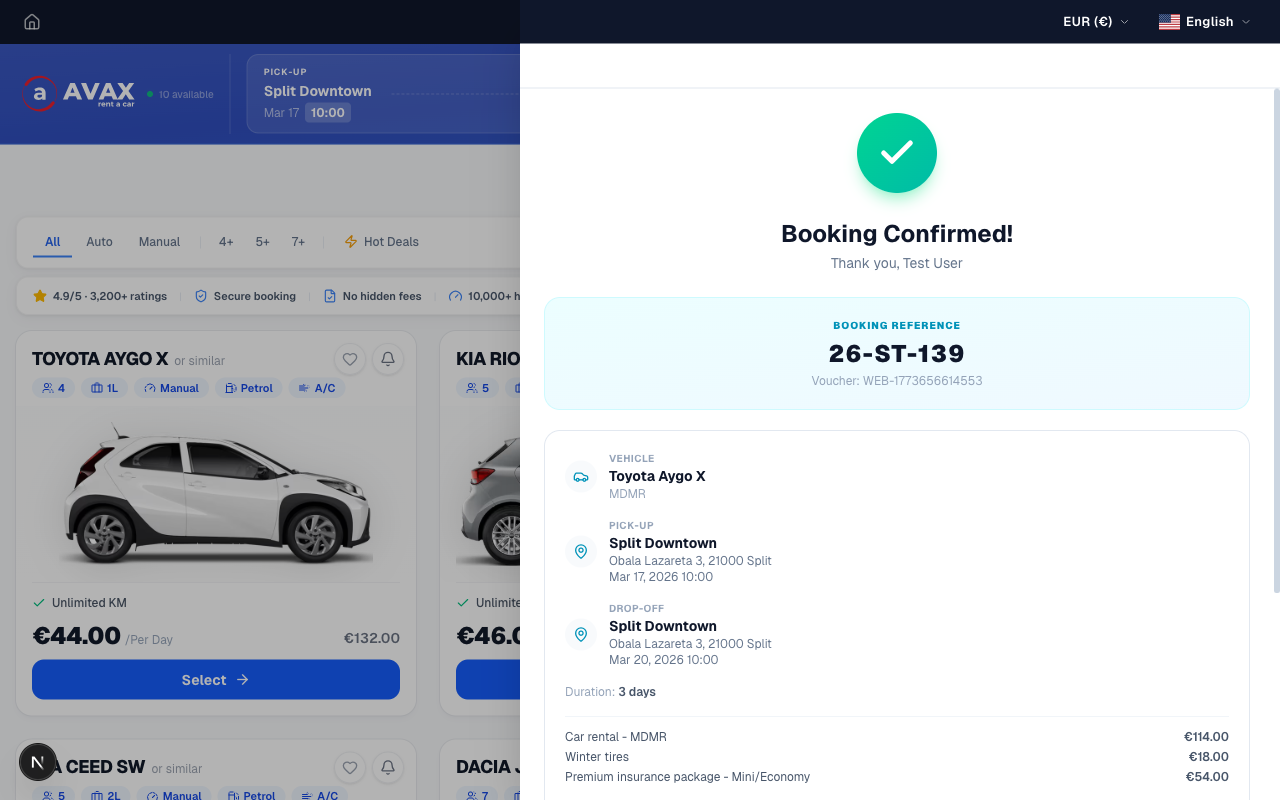
Receive your confirmation by email
Your booking voucher arrives instantly by email. Bring it (printed or on your phone) along with your driving licence and ID to the pickup desk.
/public/images/how-to-book/step-7.png
Renting Without a Credit Card?
We offer a special no-credit-card option with PREMIUM insurance included and no deposit required. See the full guide.
Useful Information
What to Bring
- Valid driving licence (held 1+ year)
- Passport or national ID card
- Your booking voucher (phone or printed)
- Credit or debit card in driver's name (standard booking)
At Pickup
- Arrive at the correct rental station
- Inspect the car for any pre-existing damage
- Sign the rental agreement
- Credit card pre-authorised (standard booking only)
- Take photos of the car condition
During the Rental
- Fair fuel policy — return the car with the same fuel level as you received
- Report any accidents or damage immediately
- Cross-border travel requires prior notice
- 24/7 roadside assistance available for €6/day
At Return
- Return on time to the correct location
- Vehicle inspected jointly with staff
- Card pre-authorisation released (standard booking)
- Receive your return confirmation
Frequently Asked Questions
Do I need to pay anything to secure my booking?
Can I cancel or modify my reservation?
Is a cash deposit required with the no-credit-card option?
Is the €60 no-credit-card fee refundable?
Can any car category be booked without a credit card?
What payment methods are accepted online?
Ready to Book Your Car?
Start your reservation now — it takes less than 5 minutes and your voucher arrives instantly.